

Turn a banner on and off without calling anyone.
Your team switches a notice on in the CMS, writes the message and the link, and sets start and end dates if they want them. It shows across the site and comes down by itself on the end date.
Running on sites we build for



A notice, switched on in under a minute.
A demo banner switched on in the CMS, with its message and link, then published.
On when you need it. Off on the date you set.
 01
Switch it on
Turn the notice on in the CMS.
 02
Write the message
Add the message and a link.
 03
Set the dates
Add a start date and an end date if you want them.
 04
Publish
It shows across the site and comes down by itself on the end date.
Running on client sites now.
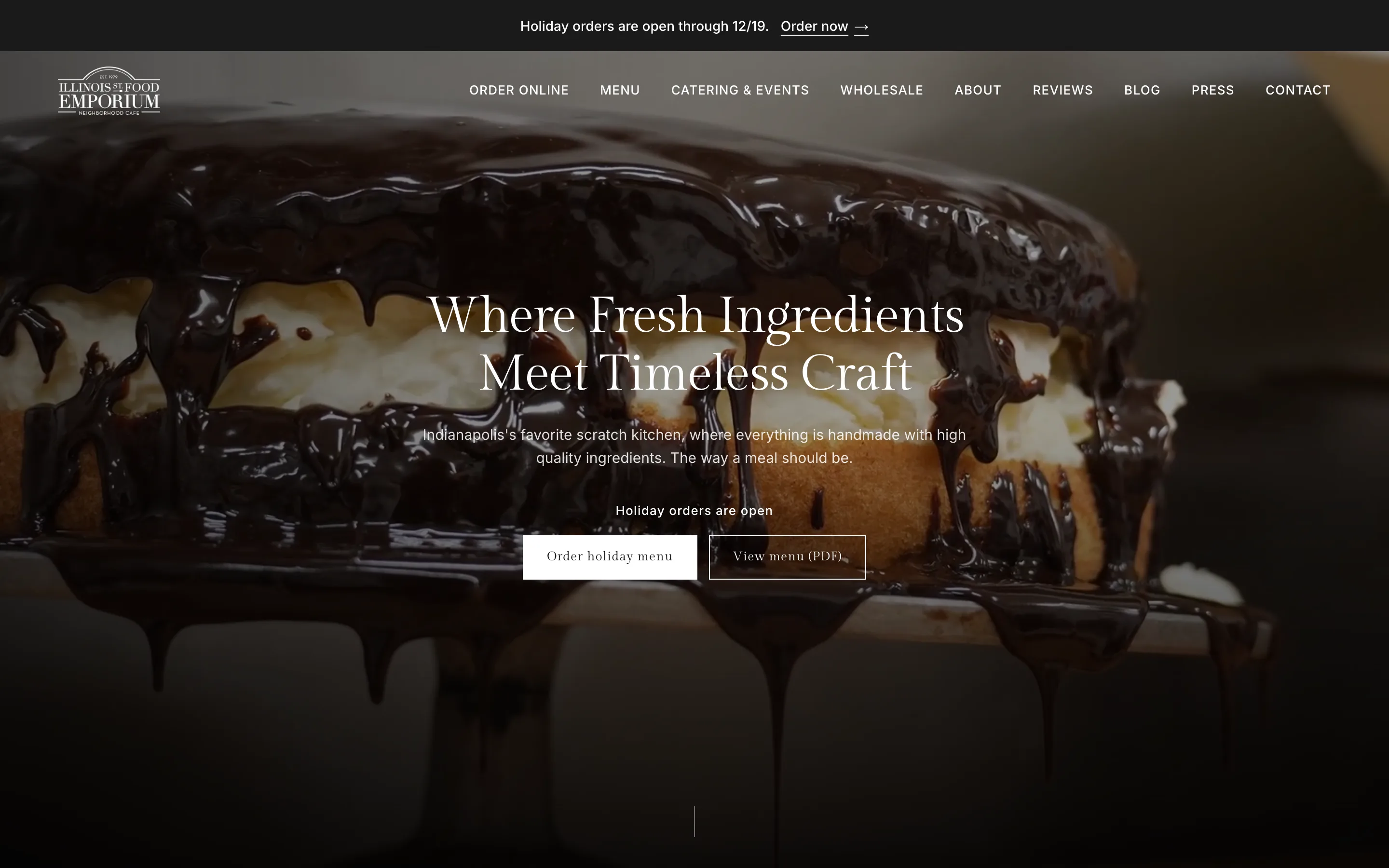
A bar across the top of a restaurant site and a sponsor box on a media site.
- Illinois Street Food EmporiumRestaurant
Holiday orders on a top bar
The holiday orders bar came on by itself on November 5, 2026, and is set to come down after December 19.
Visit isfeindy.com  Get IndianaMedia
A sponsor box beside an episode
Get Indiana's team placed a sponsor box beside a podcast episode.
See the episode page
What to know before you ask for it.
Why this exists
A closure or a holiday schedule is the most time-sensitive thing on a site, and often the one that needs a developer. This puts it in your team's hands, with an end date so it is never left up.
Where a message can show
- Top of every page: A bar across the top of the whole site. Illinois Street Food Emporium uses it.
- Beside a post or episode: A box in the sidebar. Get Indiana uses it for sponsors.
- One bar at a time: Only one bar shows in the top spot at a time.
- Popups and bottom banners: Same idea. We build one when a site needs it.
What owners use it for
Holiday hours. A closure. A sale. An event. A sponsor. A hiring notice. If it fits in a short message and a link, it fits here.
We publish an episode or newsletter and it's on the site and updating our Google Business Profile instantly. They built us a scraper that flags trending Indiana news so we know what to cover next. Super speedy and innovative.
FAQ.
The questions worth answering before a call. If yours isn’t here, ask on the form.
Ask a questionYes. Your team switches the notice on in the CMS and off again whenever they like. No developer is involved.
Yes. Set an end date and the notice comes down by itself on that day. You can set a start date too.
Today it can show as a bar across the top of every page or as a box in the sidebar beside a post or episode. Only one bar shows in the top spot at a time.
A popup or a bottom banner works the same way as a top bar. We build one when a site needs it.
Make your technology work like one system.
Tell us what’s working, what isn’t, and what you think the business needs next. We’ll help you find the right place to start.